
From first enquiry to confirmed trip.
Turn incoming client requests into structured, trackable trips. Keep client companies, programme requirements, live statuses and team ownership together in one workspace.
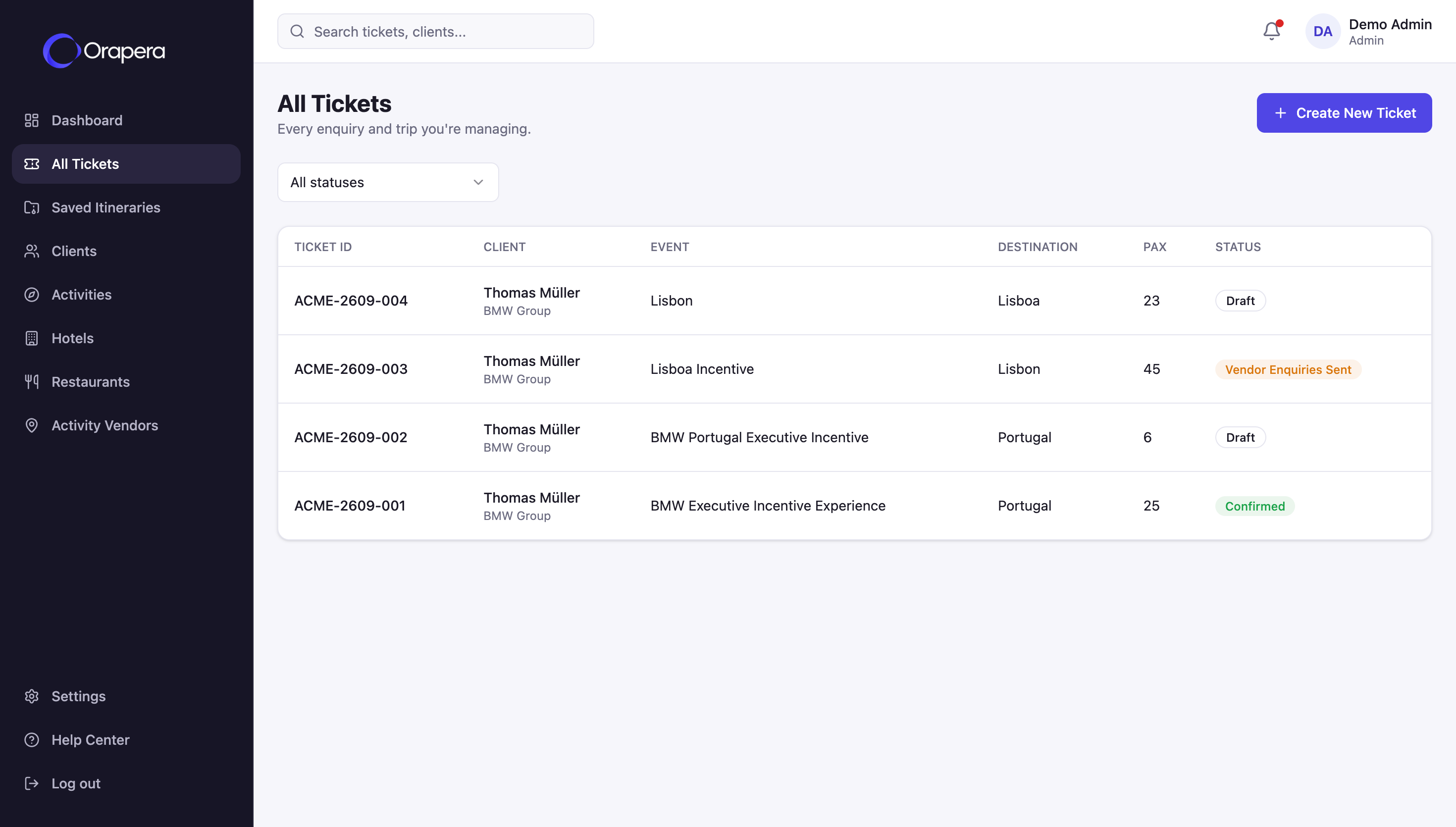
One clear record for every client and every trip.
Keep client companies, incoming requests and live operational progress connected from the moment an enquiry arrives.
Clients
Organise the companies and agencies you build programmes for with contacts and trip history in one place.
Client directoryTrip tickets
Capture destination, travel dates, group size and programme brief in a structured operational record.
Structured enquiriesLive progress
Follow every trip from initial draft and client review to vendor confirmation and final invoicing.
7-stage workflowStop rebuilding the story behind every enquiry.
Travel requests arrive with dates, destinations, guest numbers, preferences and constant changes. When those details sit across inboxes and spreadsheets, teams lose context before planning even begins.
Book a Demo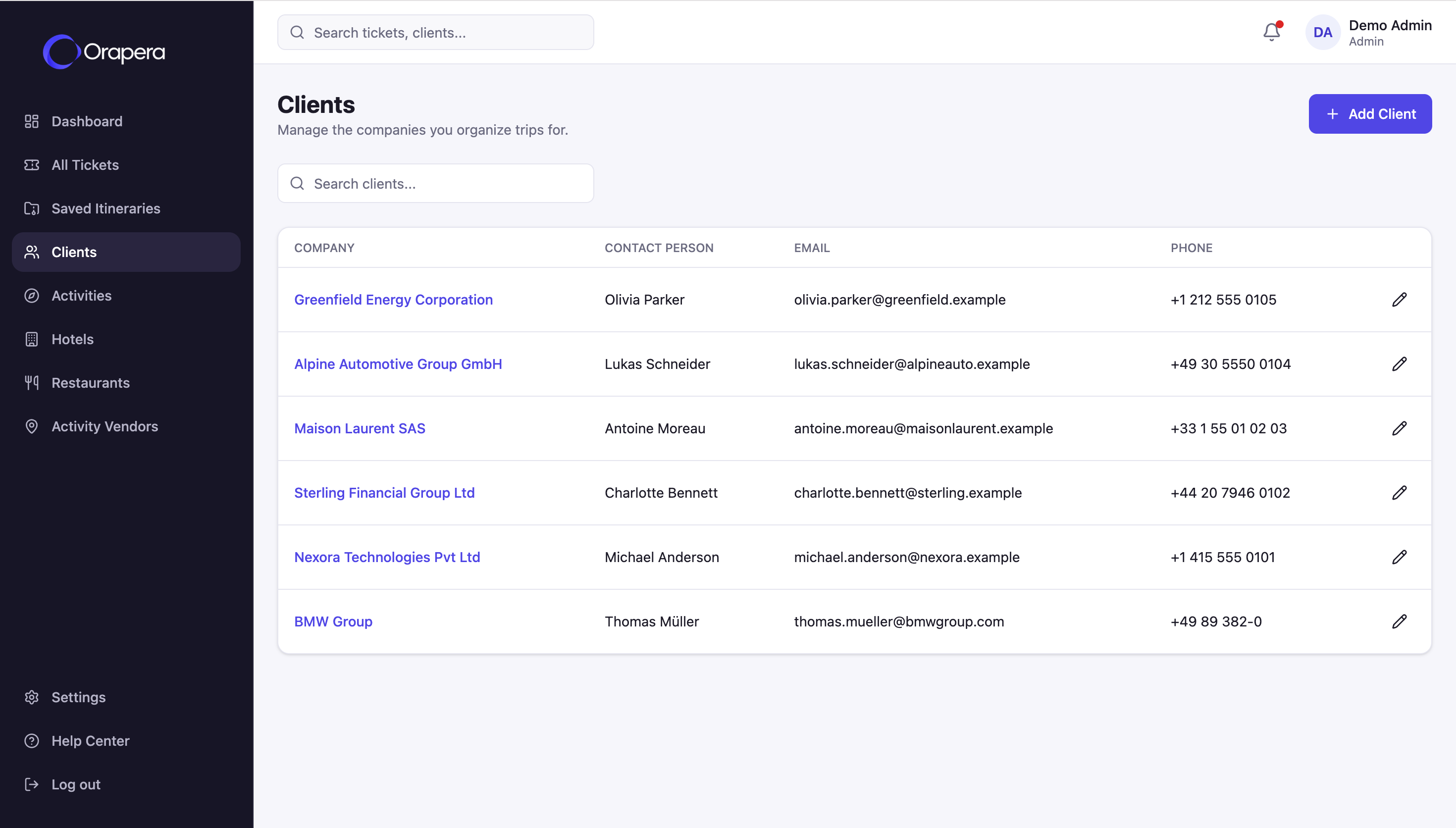
Go from a new request to an operation-ready trip.
A structured workflow designed around the way DMC, MICE and travel teams handle incoming business.
Capture every request in full.
Create a trip ticket as soon as a client enquiry lands. Keep dates, destination, group size and programme requirements structured so your planning team can start immediately.
- Client company & primary contact
- Destination, travel dates & guest count
- Programme brief & special requirements
Portugal Corporate Incentive
Live trip status tracking
Know where every trip stands.
Follow every enquiry through a clear operational status flow so anyone on the team can see what is in draft, awaiting a client response or moving into vendor confirmation.
- Clear visibility across all 7 trip stages
- Instant view of tickets awaiting action
- Shared context across sales and operations
Keep every client detail next to the work.
Link every trip ticket directly to the client company behind it. See contacts, active enquiries and programme history without switching between disconnected tools.
- Centralised company & contact records
- Active and confirmed trips linked per client
- Seamless handoff into AI itinerary creation
Ready to build itinerary from approved Lisbon & Sintra inventory.
One system around the workflow.
Client enquiry
Capture the client, destination, dates and guest brief in one ticket.
Trip brief
Connect requirements directly to your approved supplier inventory.
Itinerary & proposal
Generate programme options and share an interactive client portal.
Vendor & costing
Carry approved trips into vendor confirmations, costing and invoicing.
Grow without growing the operational chaos.
Whether your team handles corporate incentives, group tours or tailor-made programmes, Orapera gives every enquiry a consistent operational structure.
Shared operational record for every client and every trip.
Disconnected spreadsheets needed to track enquiry status.
Stage connected—from the first client enquiry to itineraries, vendor confirmations, costing and invoicing.
Questions, answered clearly.
How does Orapera capture a new client enquiry?+
Teams create a structured trip ticket containing the client company, contact person, dates, destination, guest count and programme requirements from the very first request.
Can we track the status of every trip in one place?+
Yes. Every trip moves through a clear operational workflow—from Draft and Sent to Client through Vendor Confirmed, Invoiced and Confirmed.
Is this a traditional travel CRM?+
No. Unlike a standalone CRM, client records and trip tickets in Orapera connect directly to your destination inventory, AI itinerary builder, proposals, vendor enquiries and costing.
Can multiple team members collaborate on the same trip?+
Yes. Every colleague shares one live operational record for the client and trip, eliminating scattered email threads and personal spreadsheets.
Make the first enquiry the start of one connected workflow.
Bring client records, trip tickets, inventory, itineraries and operations together in Orapera.